Roundup
The AI writing tools worth using on an academic paper
Almost every tool in this category claims to be built for academic writing, and most of them are general writing tools with a citation feature attached. This list separates the ones that change how a paper gets written from the ones that polish text you already have. Disclosure: we build Copyeditor, it appears here on its merits, and it is not ranked first — it is in closed beta.
HOW THESE WERE JUDGED
The criteria, stated up front
- Does it help with the actual academic job — argument, structure, evidence — or only with sentences?
- What happens to your citations, and can you trace every reference back to a real record?
- How much copy-pasting between windows does using it require?
- Can you account for how the document was written if someone asks?
- Is it available and affordable to an individual researcher, not just an institution?
Copyeditor publishes this list and also appears on it. We rank ourselves where we genuinely land rather than at the top of every category, and we say plainly when another tool is the better answer. Verify current features and pricing on each vendor’s own site.
7 TOOLS
The list
1. Best for Range — thinking, drafting and everything that is not the paper
ChatGPT
For most researchers this is already the default, and it earns the position. Nothing else in the list will interrogate your argument, rewrite a paragraph, explain a statistical result and translate an abstract in the same conversation. The cost is that it lives outside your document and its citations must be verified one by one.
- Genuinely strong at thinking work — pressure-testing an argument, finding the objection a reviewer will raise
- Covers analysis, code and translation alongside writing, which no specialized tool matches
- A free tier that does real work, so the barrier to trying it is zero
- Citations are generated text until you check them — a plausible reference is not a real one
- The paper still lives in another window, and the copy-paste tax is constant
2. Best for Getting a manuscript to journal-submission standard
Paperpal
A mature academic writing assistant with strong language editing and submission-oriented tooling. If your work is finished or nearly finished and the question is whether it reads like a publishable paper, this is a well-built answer. It is less oriented toward getting the first draft out of your head.
- Language editing tuned to academic and journal conventions rather than general business writing
- Submission-oriented checks aimed at the moment before you send a manuscript
- Established and widely used in research settings
- Stronger on refining existing text than on structuring a draft from nothing
- No record of how the document was written
3. Best for Drafting, citing and documenting authorship in one document
Copyeditor
The case for Copyeditor is the combination rather than any single feature: you plan and draft with an AI co-writer, the bibliography assembles itself as you cite in APA, MLA, Chicago or IEEE, and the document carries a signed record of how it was written that anyone can verify. It is in closed beta, which is a real reason to rank it below tools you can use this afternoon.
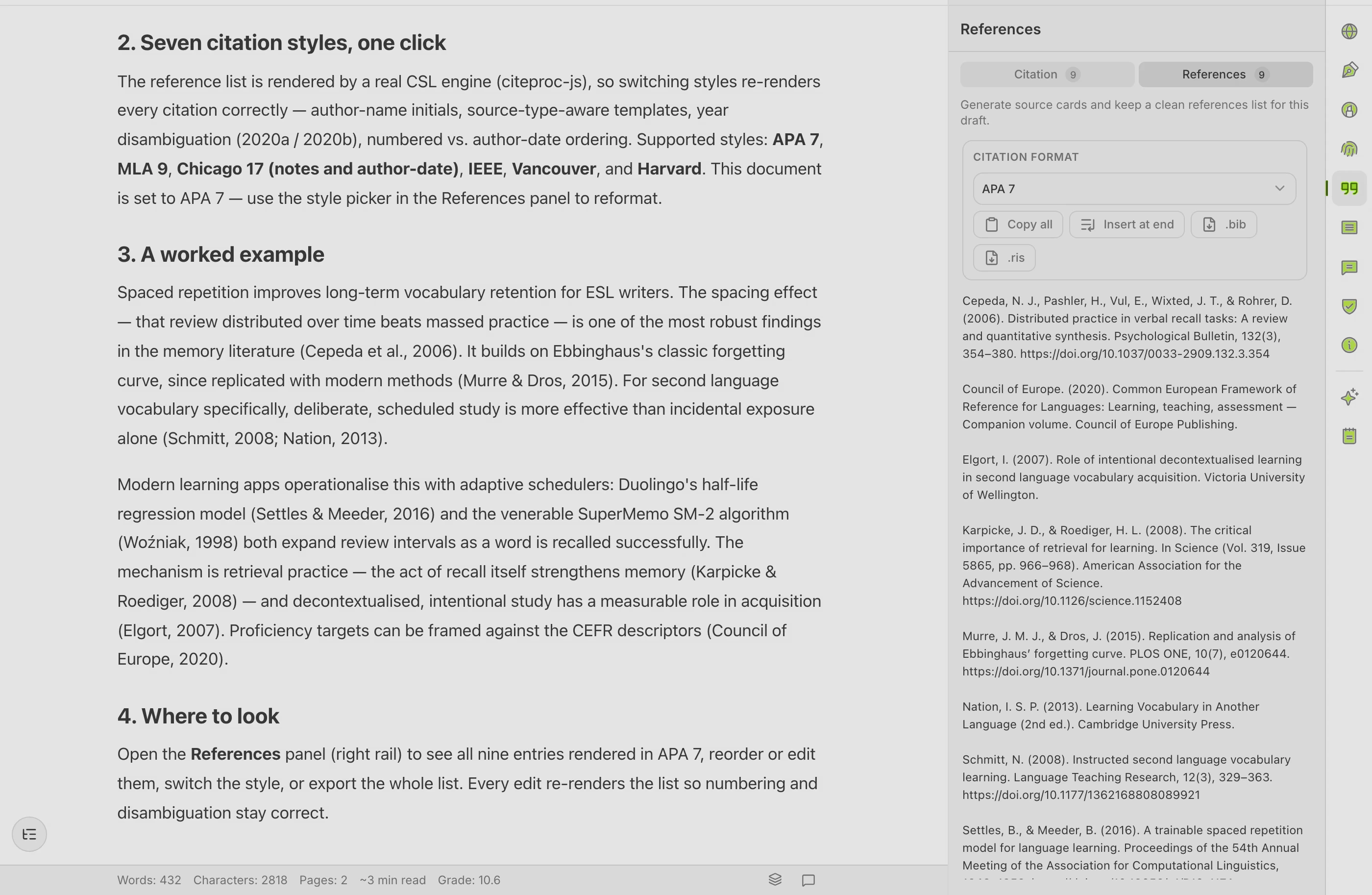
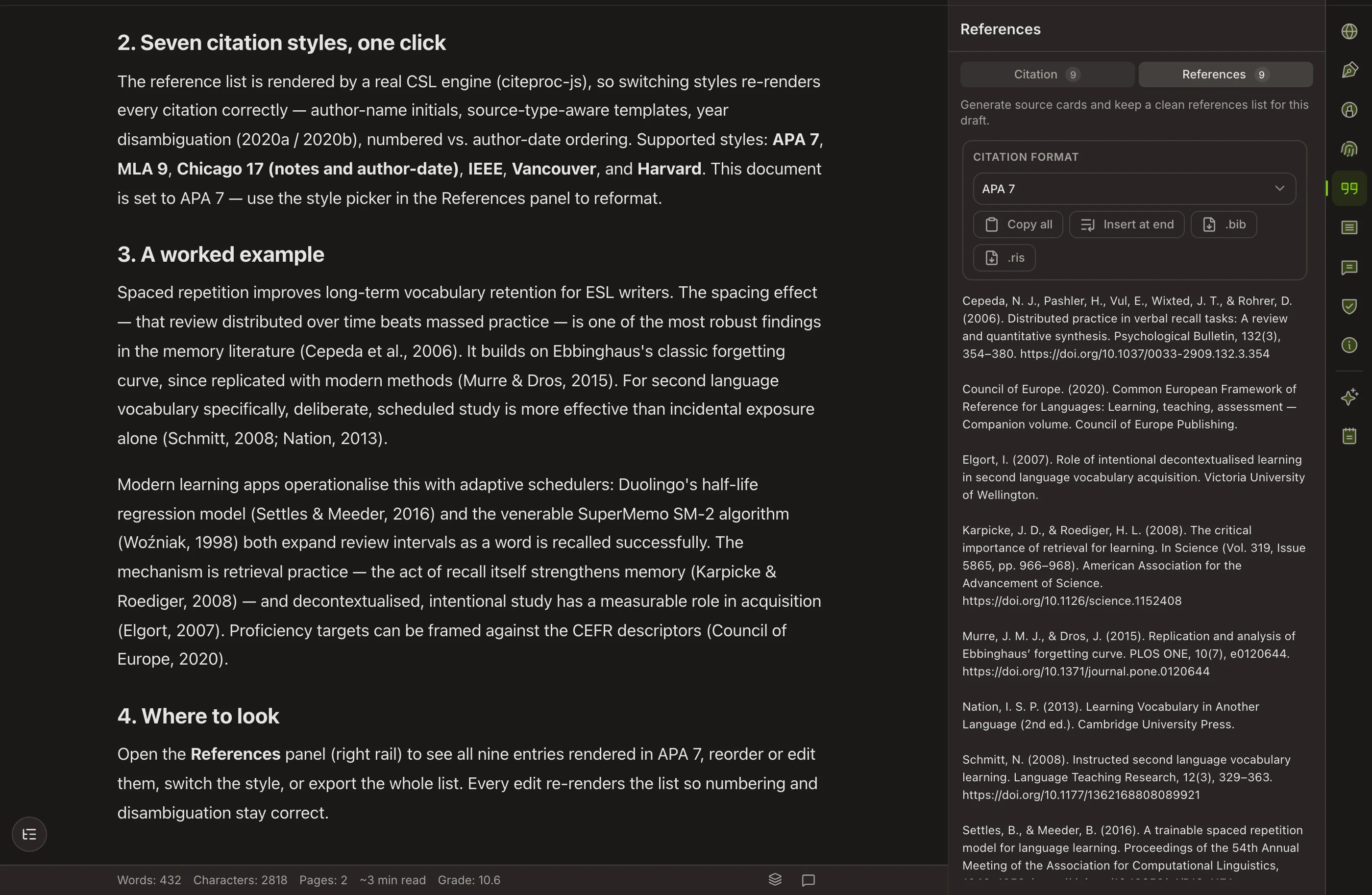
- Ask, Edit and Plan modes work over the draft itself, not in a separate chat window
- Sources added by DOI, URL, BibTeX or RIS, with a bibliography that rebuilds when the style changes
- The Authorship Certificate is a verifiable record of process that nothing else here offers
- Closed beta — you cannot simply sign up and start today
- No Zotero or Mendeley sync, no LaTeX export, and the AI-detector view is a preview rather than a database check
4. Best for Getting words onto the page when the deadline is close
Jenni AI
Continuous autocomplete that continues your sentences and offers citations as you go. For a writer stuck at the top of an empty chapter, that momentum is worth a lot. The trade is that the draft can outrun your reading, so budget the time you saved for verification and editing.
- The fastest route from blank page to a full draft in this list
- Citations offered while you write, in the common styles
- Built for students and thesis writers rather than adapted from business writing
- Every suggested citation needs opening and checking against the real source
- Prose tends toward the generic without a careful editing pass
5. Best for Understanding the literature before you write about it
SciSpace
The strongest tool here for the stage before drafting: search across papers, ask questions of a PDF and get an answer pointed back at the page it came from. It earns a place on a writing list because a literature review written without this kind of help takes weeks longer.
- Answers link back to the page, so checking is quick rather than theoretical
- Extraction across many papers into a comparison table is real literature-review work
- Explanations available in several languages
- Discovery-first — the drafting side is lighter than a dedicated writing workspace
6. Best for Researchers writing in LaTeX, and anyone unsure how a phrase is normally said
Writefull
Language feedback grounded in published research, delivered inside Overleaf and Word. Checking a phrasing against how papers in your literature actually word it answers a question that grammar rules cannot. If your manuscript is in LaTeX, this is the only tool on the list that meets you there.
- Works inside Overleaf, which almost nothing else in this category does
- Suggestions grounded in published academic usage rather than general style rules
- Often available free through an institution or publisher
- A feedback layer over existing text — it will not help you produce a draft
- No reference management
7. Best for Fast rewriting, at no cost, from wherever you are
QuillBot
The best-known paraphraser in the category, with a free tier that does genuine work and a browser extension that follows you around. It is a set of utilities rather than a writing environment, which is fine when rewording is the job in front of you.
- A free tier that covers a lot of everyday rewriting
- Rewrite modes and a synonym control give you real command over how far the text moves
- Summarizer and translator behind the same login
- No structured drafting — it works on text you already wrote
- Citations are generated for copying, not maintained inside your document
Questions about this category
Is using AI for academic writing allowed?
It depends on your institution and, for publication, on the journal. Many now permit assistance with disclosure rather than prohibiting it outright. Read the policy that applies to you before you rely on any of these tools, and keep a record of what you did.
Which tool has the most reliable citations?
Any tool where the reference starts from a real record — a DOI, a BibTeX entry, an imported RIS file — is on firmer ground than one generating a citation as text. That said, check your own reference list before submission regardless of what produced it.
Do I need more than one of these?
Most researchers end up with two or three: something for reading, something for writing, and a reference manager. The goal is fewer overlapping subscriptions, not one tool that claims to do everything.
Why is Copyeditor not first on your own list?
Because it is in closed beta and several tools here are available to you today. A ranking that ignored that would not be worth reading.
How often does this list change?
This category moves quickly. Treat every entry as a starting point and confirm current features and pricing on each vendor’s own site before you buy anything.
Related roundups
Paraphrasing tools that hold up in academic writing
Paraphrasing in academic writing is not word substitution — it is restating someone else’s finding in your own terms while keeping the meaning and the citation intact.
Grammar checkers that understand academic writing
Academic prose breaks the rules that general grammar checkers enforce: the passive voice is often correct, hedging is not weak writing, and the long sentence is carrying a qualified claim.
Free tools that actually get an academic paper written
There is a difference between a tool that is free and a free tier designed to run out.
Fewer tools
one document
Copyeditor puts drafting, citations, paraphrase and export in one place, with a verifiable record of how the paper was written. In beta — apply and we’ll reach out as spots open.