How it works
From a blank page to a paper you can submit.
Six movements, one document. Here is what a paper looks like from the first outline to the moment you export it — with your sources carried through every step.
Beta opens this season — starting with students and researchers.
THE WALKTHROUGH
Plan → draft → cite → check → export → certify
The same path every time. You stay in control of each step, and nothing moves forward until you approve it.
Plan the paper
Open a blank document and tell the Co-writer what you’re writing. In Plan mode it proposes an outline — sections, sub-points, the shape of the argument. You edit it until it’s yours, then approve. Nothing is drafted until you say so.
Draft section by section
Produce one section at a time, in English or in your own language. Help arrives as a diff over your text — accept it, reject it, or rewrite. You stay the author of every sentence that lands in the document.
Cite as you go
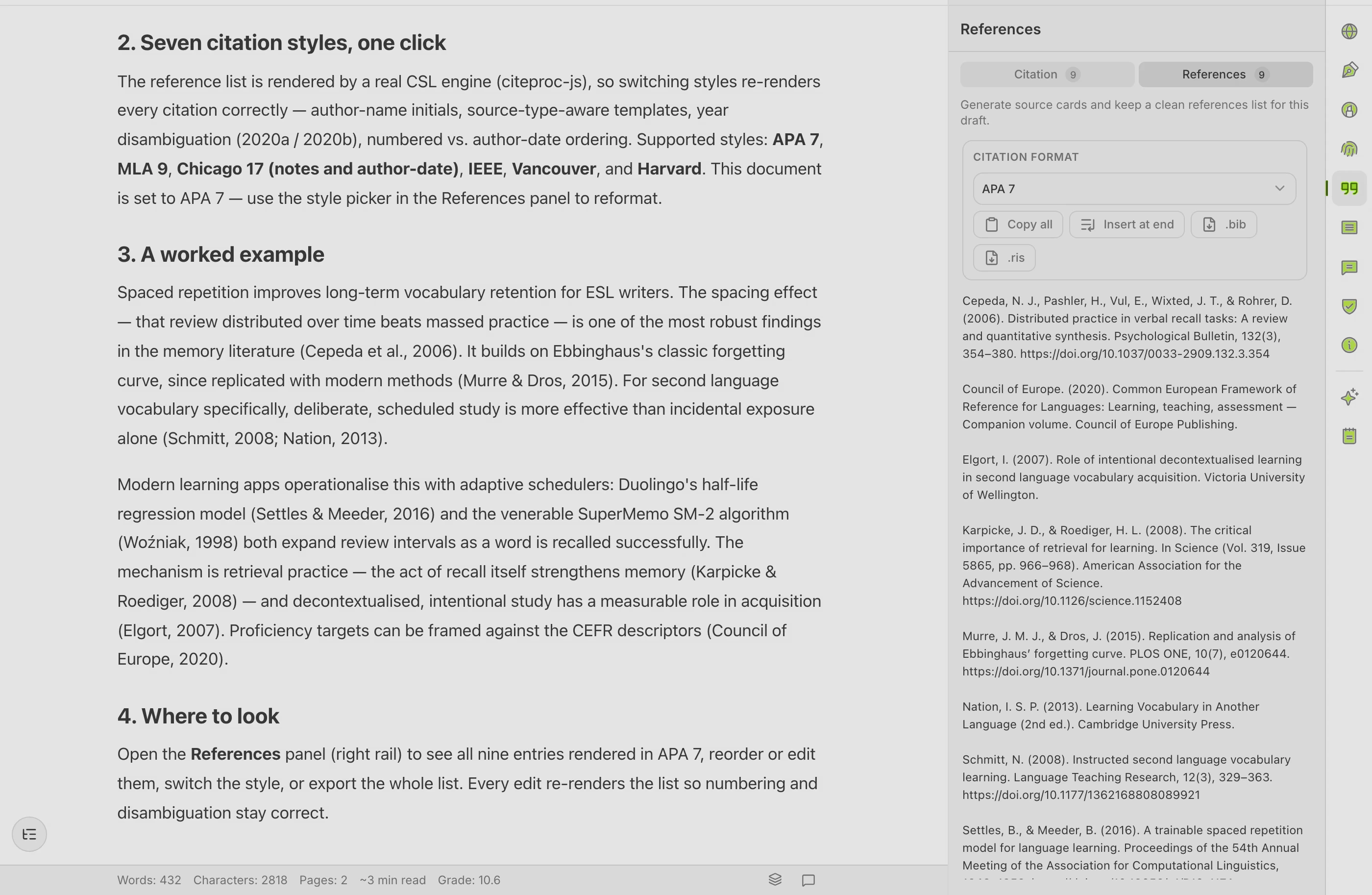
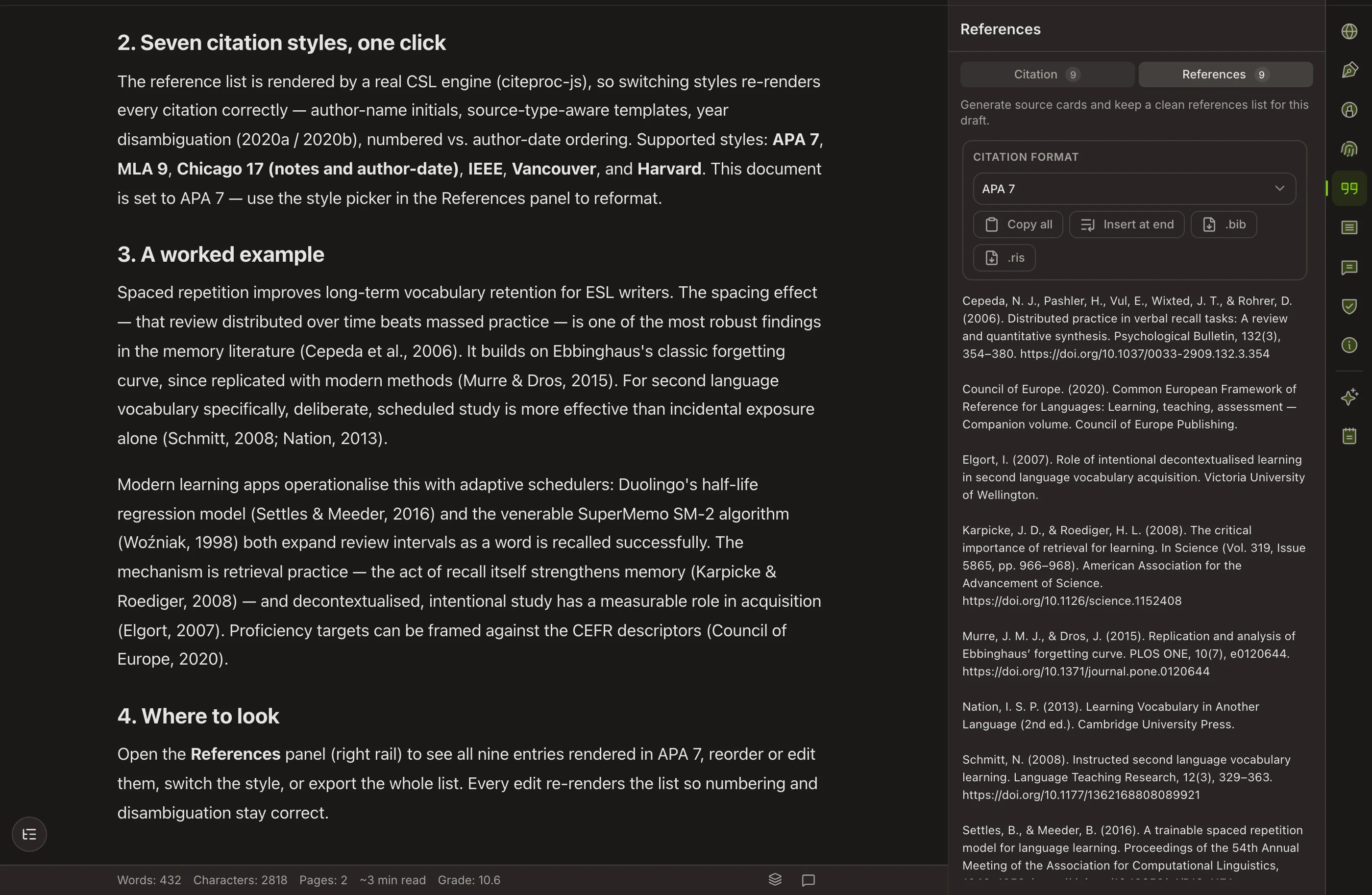
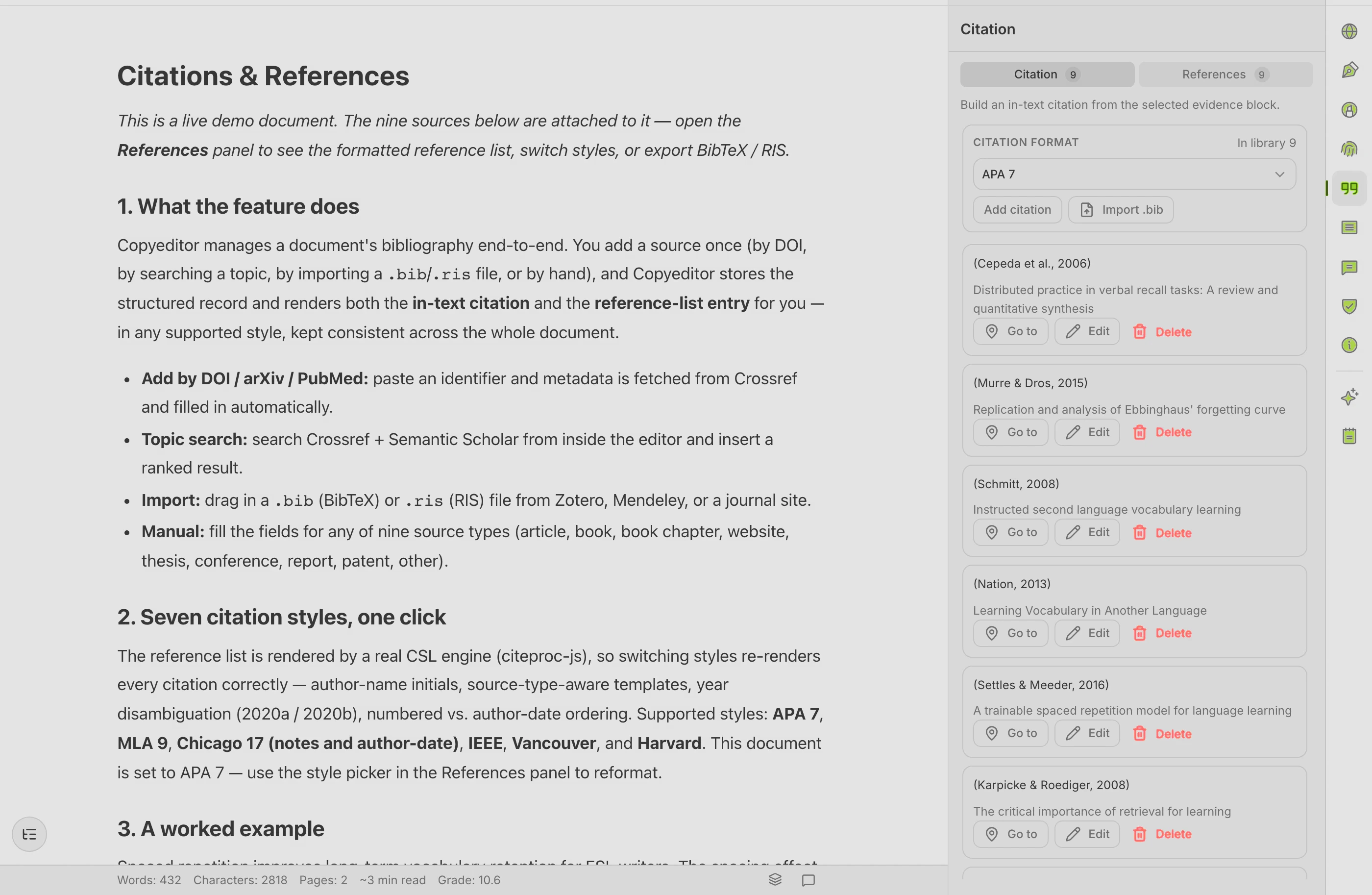
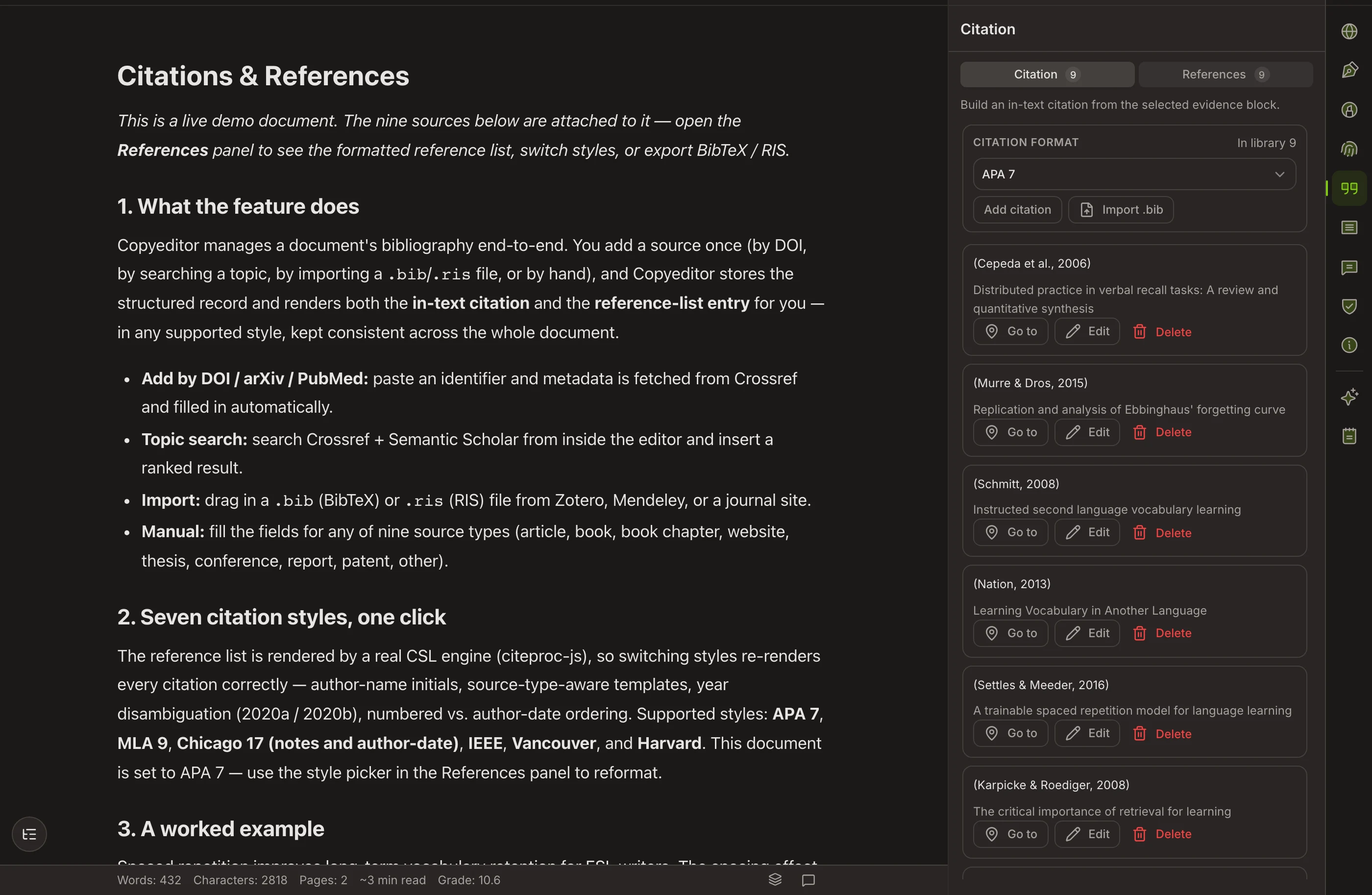
Add a source once — by DOI, URL, or BibTeX / RIS import. It appears as an in-text citation and in a bibliography that builds itself, formatted in APA, MLA, Chicago, or IEEE.
Check before you submit
Run grammar review tuned for academic prose, tighten wording with academic paraphrase, and see an AI-detector preview — how the draft reads to detectors — all without leaving the page.
Export it cleanly
Send the finished paper to Word or PDF, with your reference list also available as BibTeX or RIS. Citations, references, and formatting come through intact, so there’s no last-minute reformatting marathon.
Certify the process
If you choose, attach an Authorship Certificate: a signed, publicly verifiable record of how the paper was written. It documents your process — it does not establish legal innocence — and reviewers can verify it without an account.
WHY ONE DOCUMENT
The work stays in sync because it never leaves the page
When the draft, the citations, and the checks live in separate tools, they drift. Here, they don’t.
Sources travel with you
Cite a source in the draft and it’s already in your bibliography. Switch styles and both update together.
Checks run in place
Grammar, paraphrase, and the originality preview read the live document — not a stale copy pasted into another tab.
Export is the last step, not a chore
Because formatting and references stayed intact the whole way, the export comes out clean the first time.
Good to know
Do I have to use every step?
No. The workspace is one place, but you can start anywhere — paste an existing draft and only cite and export, or plan a paper from a blank page. The steps are a path, not a requirement.
Does the Co-writer write the paper for me?
No. Plan mode proposes structure and helps you produce each part, but every change is a diff you approve. You stay the author — which is the whole reason the Authorship Certificate exists.
Can I write in my first language?
Yes. If English isn’t your first language, you can sketch a stuck passage in your own language as scaffolding and bring it into academic English when you’re ready. The goal is always the English draft.
When can I start?
Copyeditor is in beta, onboarding students and researchers first. Apply for the beta and we’ll reach out as spots open.
Try the workflow
on your next paper
Copyeditor is in beta — we’re onboarding students and researchers first. Apply and we’ll reach out as spots open.