For PhD students
Your dissertation, drafted and cited in one place.
Chapters, papers, reviewer responses, and abstracts all need the same thing: structured drafting, citations that stay attached, and a clean export. Copyeditor keeps them together so you stop copy-pasting between a translator, a citation generator, and four other tabs.
Beta opens this season — starting with students and researchers.
WHAT YOU’LL WRITE
The doctoral writing year, in one workspace
Every artifact a PhD produces shares a reference library and a writing process.

Dissertation chapters
Outline a chapter, draft each section, and keep every citation attached as you go — so the literature review and the bibliography never drift apart.

Journal papers
Plan mode proposes structure; you produce and rewrite each part. The argument stays yours, the references stay formatted in your target style.

Reviewer responses
Draft point-by-point replies in a clear academic register, with the original sources one click away when a reviewer asks for evidence.

Conference abstracts
Tighten a 4,000-word argument into a 250-word abstract without losing the claim — paraphrase for register, not for padding.

Originality before submission
See how a draft reads to AI detectors before a supervisor or a journal does. Fix paraphrase and attribution gaps early.
Grant and proposal text
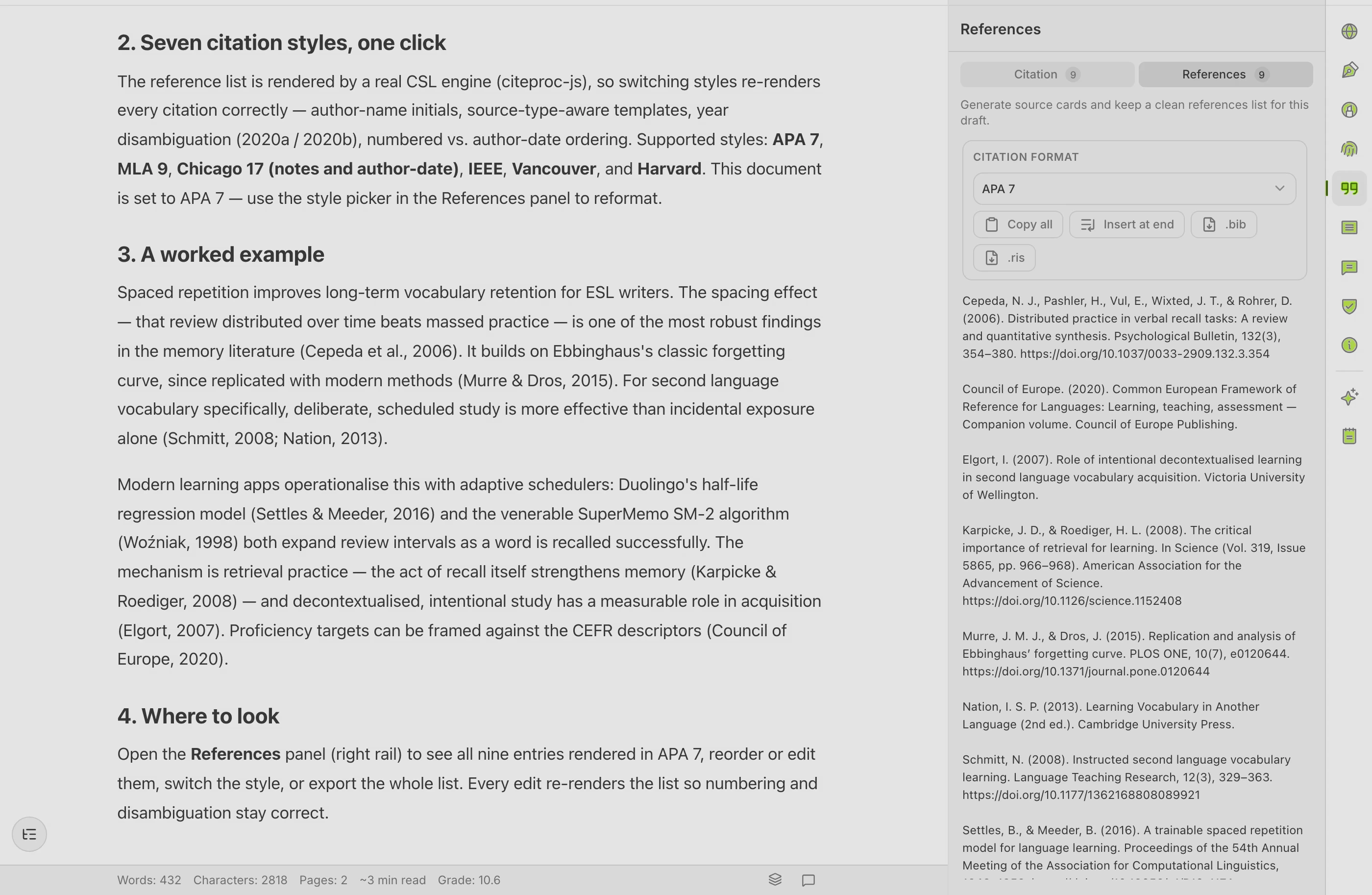
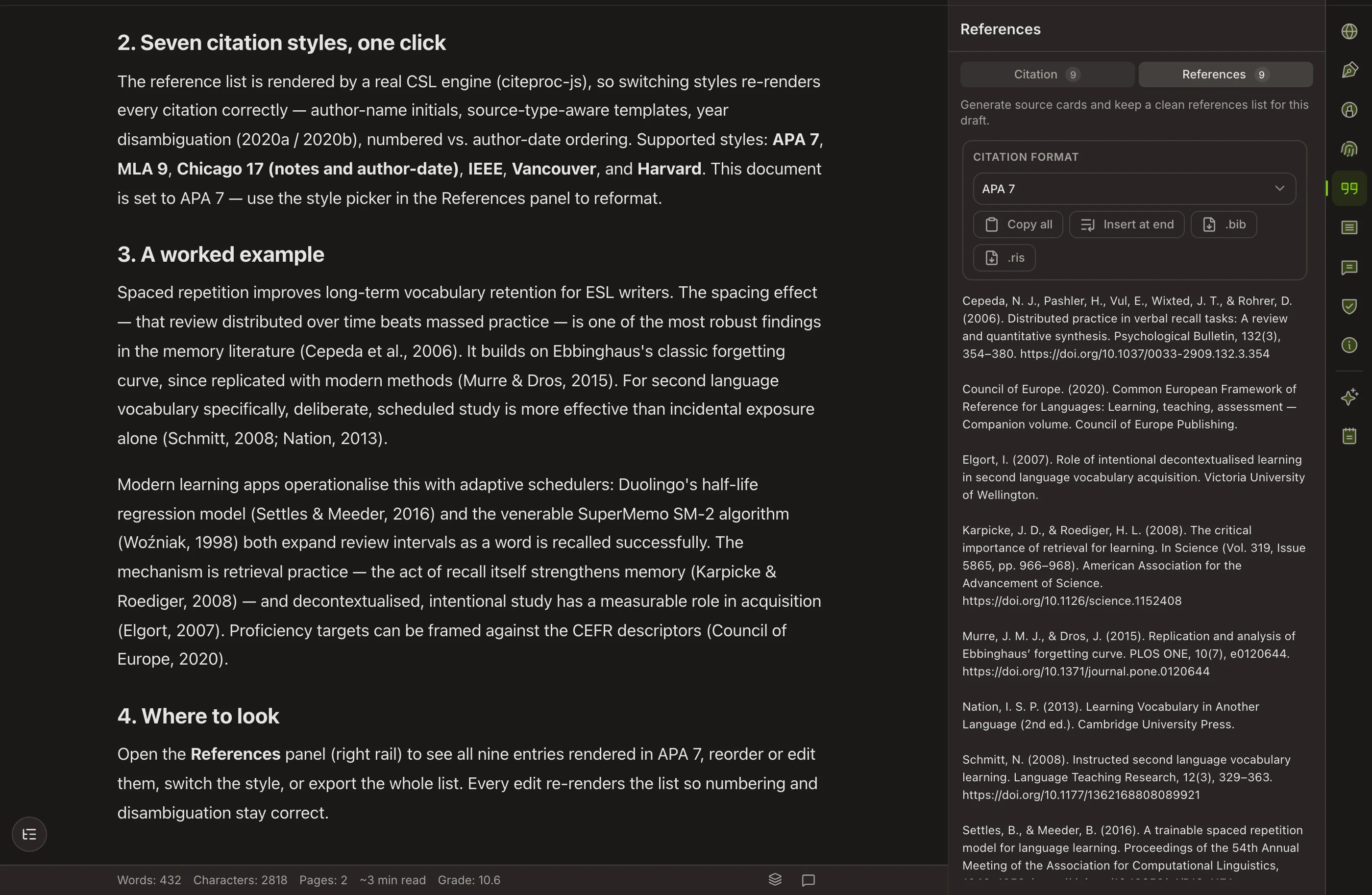
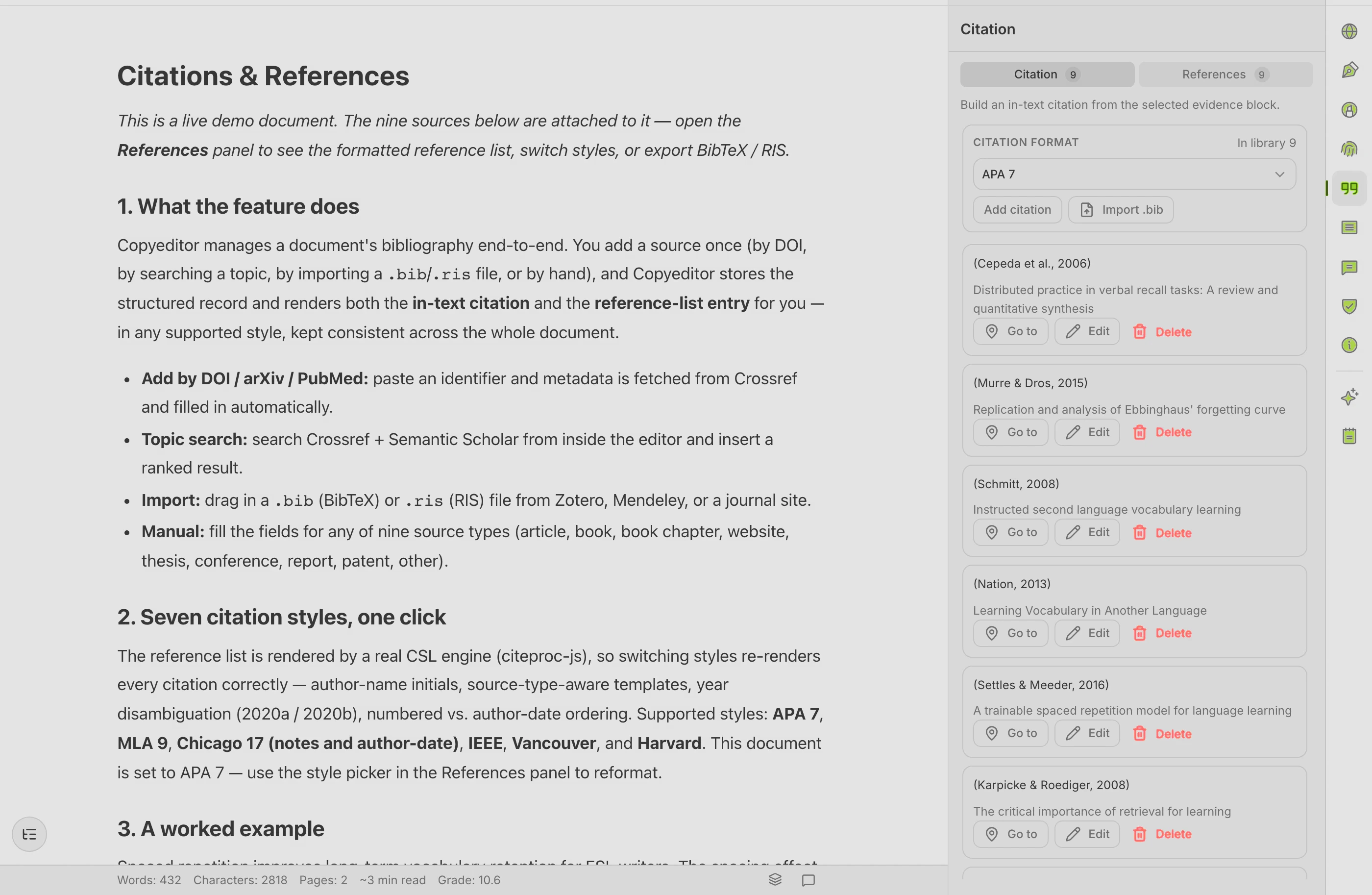
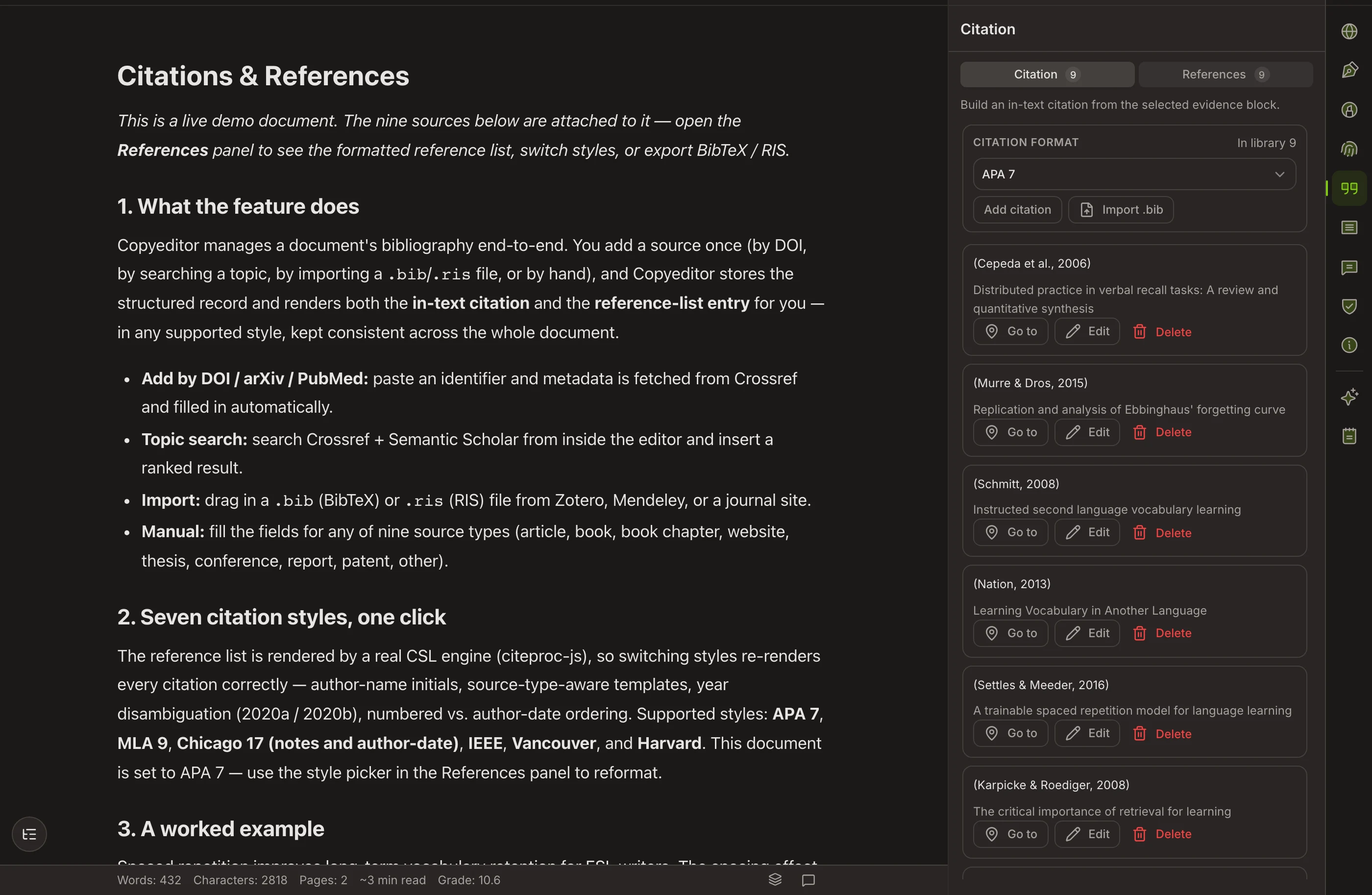
Reuse a clean reference library across documents. Cite once; the in-text marks and bibliography rebuild themselves per style.
HOW IT FITS YOUR WORK
Draft, cite, check — without leaving the page
First-language scaffolding when you need it
English isn’t every doctoral writer’s first language. Sketch a stuck paragraph in your own language as scaffolding, then bring it into academic English — meaning intact, sources intact. The goal is always the English draft.
Cite as you write
Add a source by DOI, URL, or BibTeX import, drop it in, and the in-text citation plus the bibliography entry appear in your chosen style. Switch APA to Chicago and the whole document follows.
Check, then submit
Run grammar, paraphrase, and an AI-detector preview in the same place you wrote. Export to Word or PDF with formatting and references intact.
On authorship
Proof of process, not a promise of innocence
The Authorship Certificate is a signed, timestamped record of how your document was written. It documents your process so you can show your work — to a supervisor, a committee, or an editor. It does not prove legal innocence, and we’d never claim otherwise. It’s supporting evidence that the writing is yours.
Questions PhD writers ask
Does Copyeditor write my dissertation for me?
No. Plan mode helps you structure and produce each section, but you approve every step and stay the author. The Authorship Certificate exists precisely because the work should be yours.
What is the Authorship Certificate, exactly?
It is a signed, timestamped record of how a document was written — drafting, edits, and revisions over time. It documents your writing process. It does not, and cannot, prove legal innocence or that a specific passage is free of any concern; it is supporting evidence of authorship, not a verdict.
Which citation styles does it support?
APA (7th), MLA (9th), Chicago notes-bibliography, and IEEE today, with more styles on the way. Sources can come in by DOI, URL, or BibTeX / RIS import.
Can I use it alongside my supervisor’s feedback?
Yes. Export to Word with tracked formatting, take comments, and bring revisions back in. The reference list stays attached throughout.
Write your next chapter
in one workspace
We’re onboarding students and researchers first. Apply and we’ll reach out as spots open.